
Web Font Loader
- Tags: google fonts, typography, custom fonts, web fonts, font manager
- Requires at least: 6.6
- Tested up to: 6.9
- Requires PHP: 8.1
- Stable tag: 1.6.2
- License: GPLv3 or later
- License URI: https://www.gnu.org/licenses/gpl-3.0.html
Add web fonts to your site with typography presets, performance monitoring, and Classic Editor integration.
Description
Access 1,000+ web fonts with intelligent typography management, ready-to-use presets, and built-in performance monitoring. Apply fonts globally or per-post with the Classic Editor toolbar.
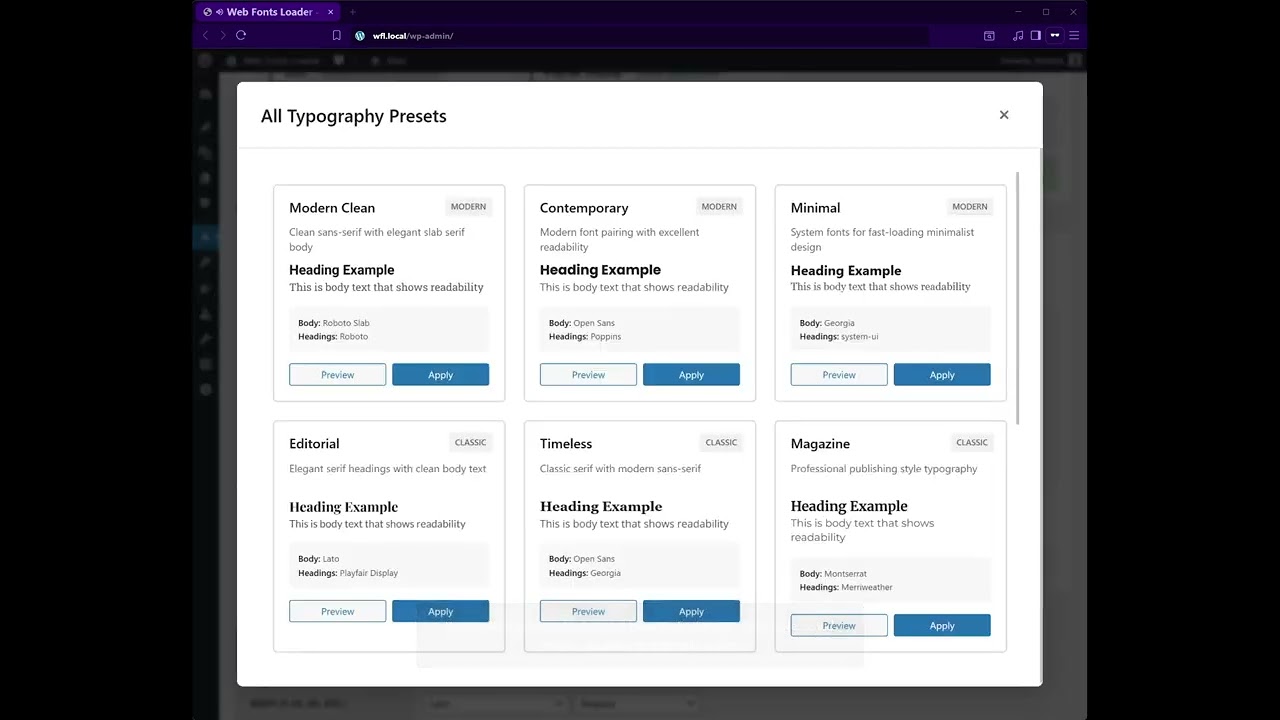
Click the image above to watch the full demo on YouTube
Key Features
- 1,000+ web font library
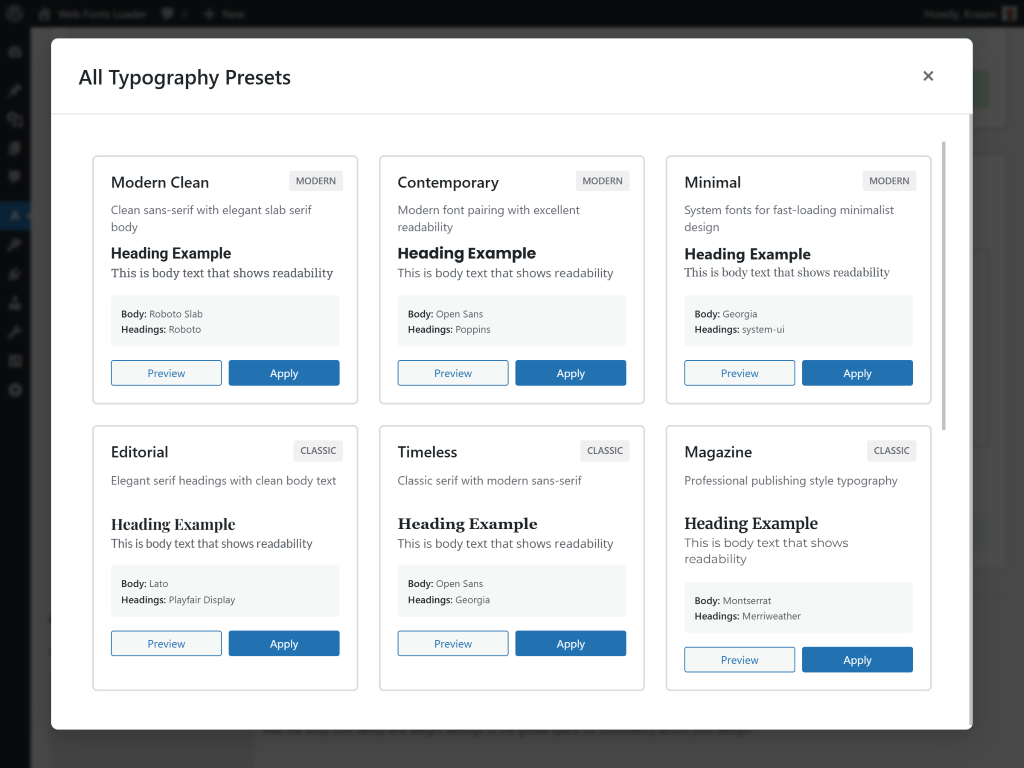
- Typography presets for professional pairings
- Performance monitoring with optimization scores
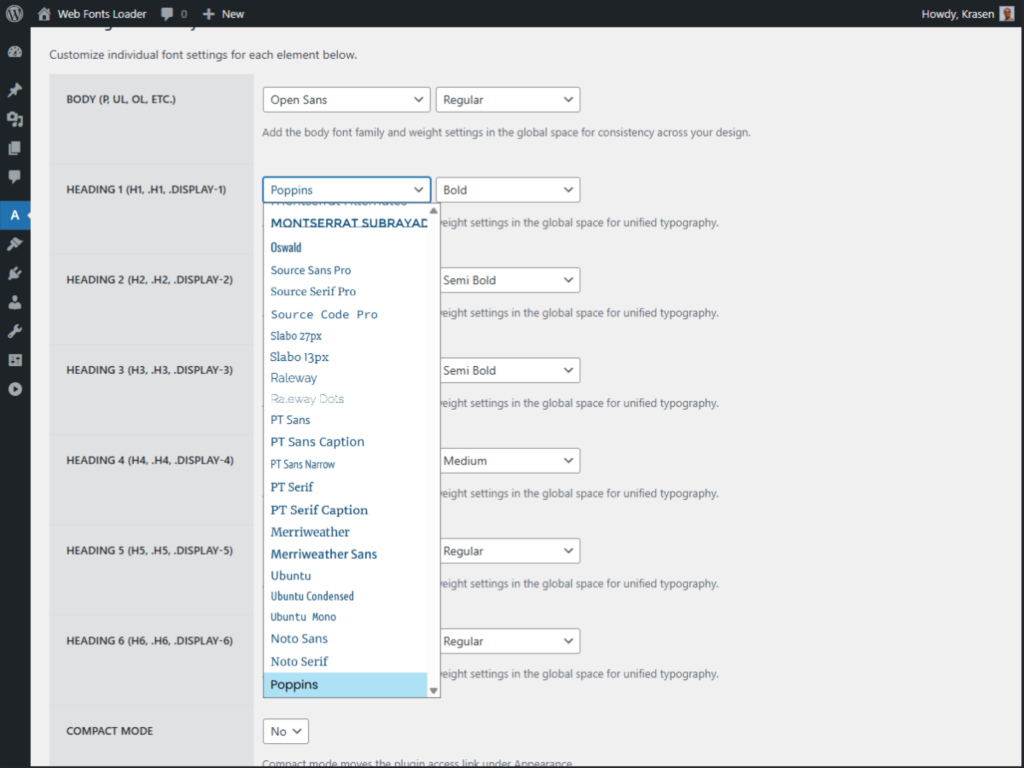
- Global typography settings
- Classic Editor toolbar integration
- Dynamic font loading
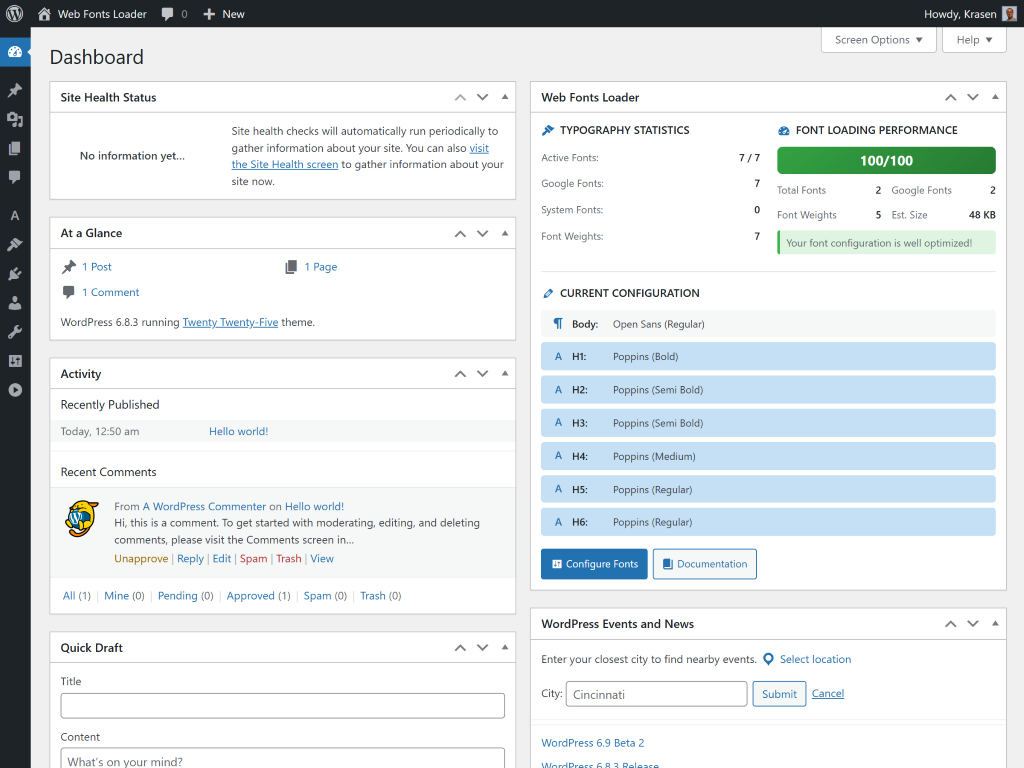
- Dashboard widget with statistics
How It Works
- Install and activate
- Navigate to Web Fonts Loader in admin menu
- Choose fonts for headings and body text
- Or use Classic Editor toolbar for per-post customization
- Browse typography presets for professional combinations
- Monitor font performance with built-in tracking
Zero configuration required – access all fonts immediately with intelligent defaults.
Use Cases
- Enhance brand identity
- Improve content readability
- Create visual appeal
- Establish consistent typography
- Implement custom fonts efficiently
- Optimize editorial design
Installation
From Dashboard
- Go to Plugins > Add New
- Search for “Web Fonts Loader”
- Click Install Now, then Activate
Manual Installation
- Download the plugin ZIP file
- Upload to /wp-content/plugins/
- Activate from Plugins menu
After Activation
- Go to Web Fonts Loader in admin menu
- Select fonts for headings (H1-H6)
- Choose fonts for body text
- Browse Typography Presets for professional combinations
- Check Font Performance for optimization metrics
- Use Classic Editor toolbar for per-post customization
Frequently Asked Questions
How do I add fonts site-wide?
Go to the plugin settings in admin, select fonts for headings and body text, and save. Fonts load automatically on your site frontend.
Can I use different fonts per post?
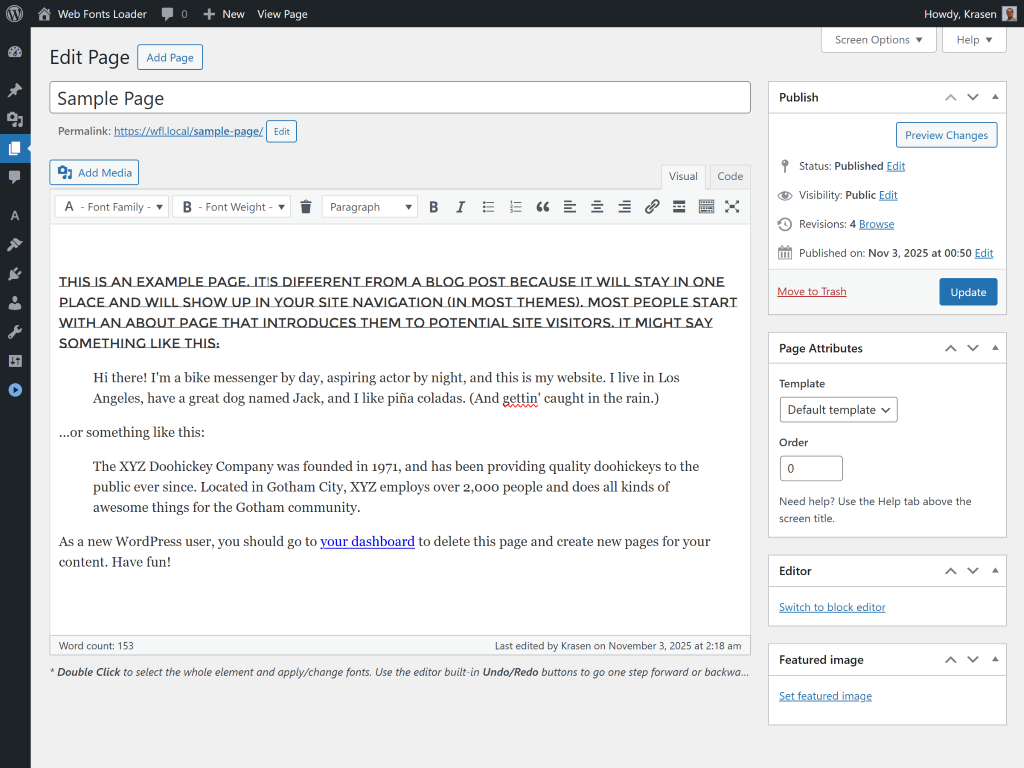
Yes, edit any post in Classic Editor and find two new dropdown menus in the toolbar. First dropdown selects font family, second chooses weight and style.
How many fonts are available?
The plugin provides access to 1,000+ font families including popular options like Roboto, Open Sans, Lato, and Montserrat. Includes extensive font weights (100-900) and italic styles.
Will fonts slow down my site?
No, the plugin uses dynamic loading to load only fonts actually used on each page. Built-in performance monitoring tracks loading speed with optimization recommendations.
Can I preview fonts before applying?
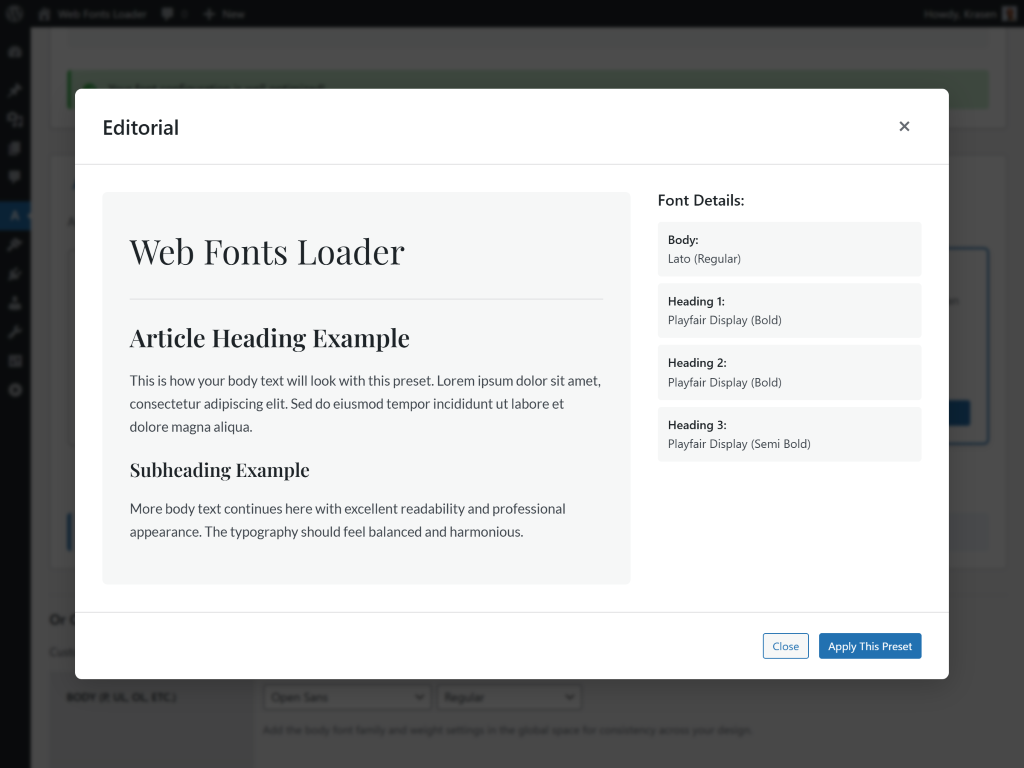
Yes, the Typography Presets library lets you preview professional font combinations instantly. Global settings also show font previews before applying.
Does this work with the Block Editor?
Block Editor support is available in the Pro version. The free version supports Classic Editor for per-post typography, and global settings work with all editors.
Can I use custom fonts?
Custom font upload is available in the Pro version. Upload your own fonts alongside the library for complete typography control.
How do I check font performance?
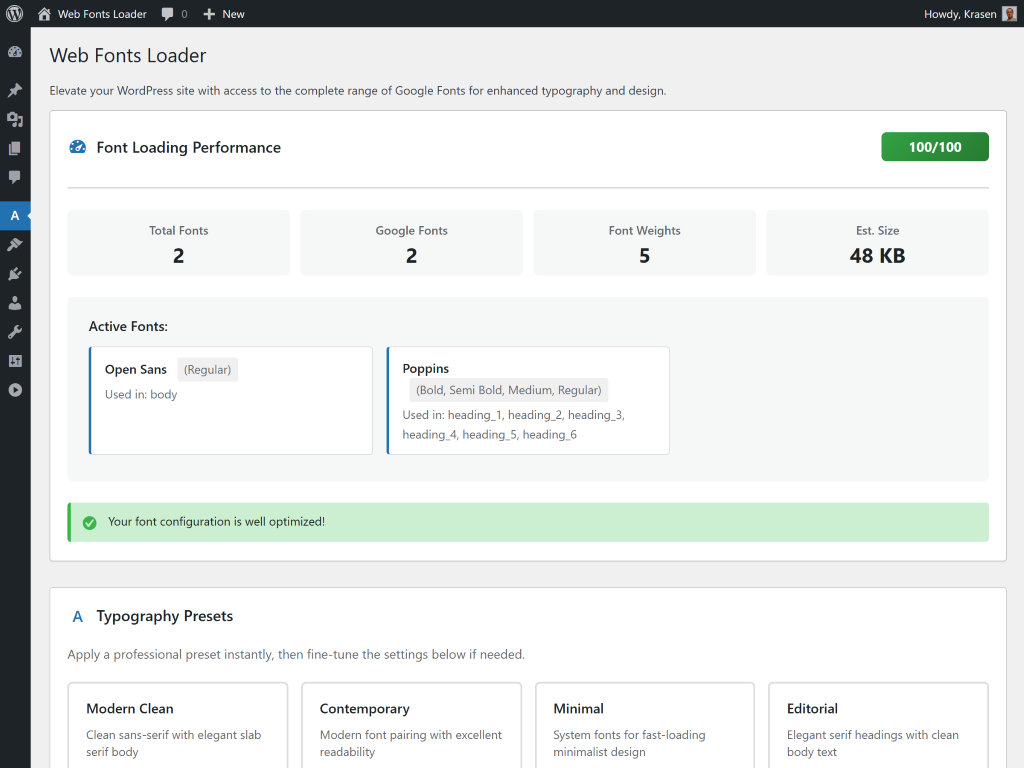
Access the Font Performance tab to see optimization scores (0-100), estimated font sizes, weight counts, and recommendations for improving loading speed.
Does this work with all themes?
Yes, works with all themes. Global typography settings apply fonts site-wide. Per-post customization in Classic Editor overrides theme defaults for specific content.
Can I host fonts locally?
Local font hosting for EU/GDPR compliance is available in the Pro version. Host fonts on your server instead of using a CDN.
What are typography presets?
Typography presets are professionally designed font combinations for headings and body text. Browse presets for different styles, preview instantly, and apply with one click.
Does this work with Multisite?
Yes, compatible with Multisite installations. Configure font settings independently for each site in your network.
Screenshots
Changelog
1.6.1
- Update – Pro comparison table with latest features
- Fix – Minor fixes for dashboard widget and font loading
- Fix – Coding standards improvements
1.6.0
- New – Typography Presets Library with professional combinations
- New – Font Loading Performance Metrics with optimization scores
- New – Dashboard Widget for statistics and metrics
- New – Onboarding Welcome Notice for setup guidance
- New – Pro Table component for premium features showcase
- Update – Modular SCSS architecture for styling
- Update – Optimized CSS with color variables
- Update – Unified design system across all features
- Update – Responsive layouts for mobile devices
- Update – Enhanced color scheme for admin
- Update – WPCS-compliant code formatting
- Update – Improved code organization
- Update – Language files moved to /languages directory
- Fix – Removed debugging code
- Fix – Code optimization for production
1.5.3
- New – WP pointer for global integration
- Update – Language file (.pot)
- Update – Language file header text
1.5.2
- Fix – Proper sanitization for register_setting()
- Fix – Stricter nonce verification
- Fix – Capability checks for admin actions
- Update – Removed deprecated load_plugin_textdomain()
1.5.1
- Update – Removed bitly.com links
- Fix – Translation loading timing
1.0.0
- Initial release
- Access to 1,000+ font library
- Global typography settings
- Classic Editor toolbar integration
- Dynamic font loading
- Font family and weight selection
- Support for all font variations
Upgrade Notice
1.6.1
Improvements with updated pro comparison and minor fixes.
1.6.0
Major update with Typography Presets, Font Performance Monitoring, Dashboard Widget, and enhanced design system. Highly recommended upgrade.
1.5.3
Improvements with WP pointer for global integration.
1.0.0
Initial release with typography manager and Classic Editor integration.