

Master Professional AI-Assisted Development in 6.5 Hours
Transform your Claude Code skills from beginner to expert with our comprehensive, interactive training course. Learn the techniques professionals use to maximize efficiency and code quality.
What’s Included
Complete Course Access
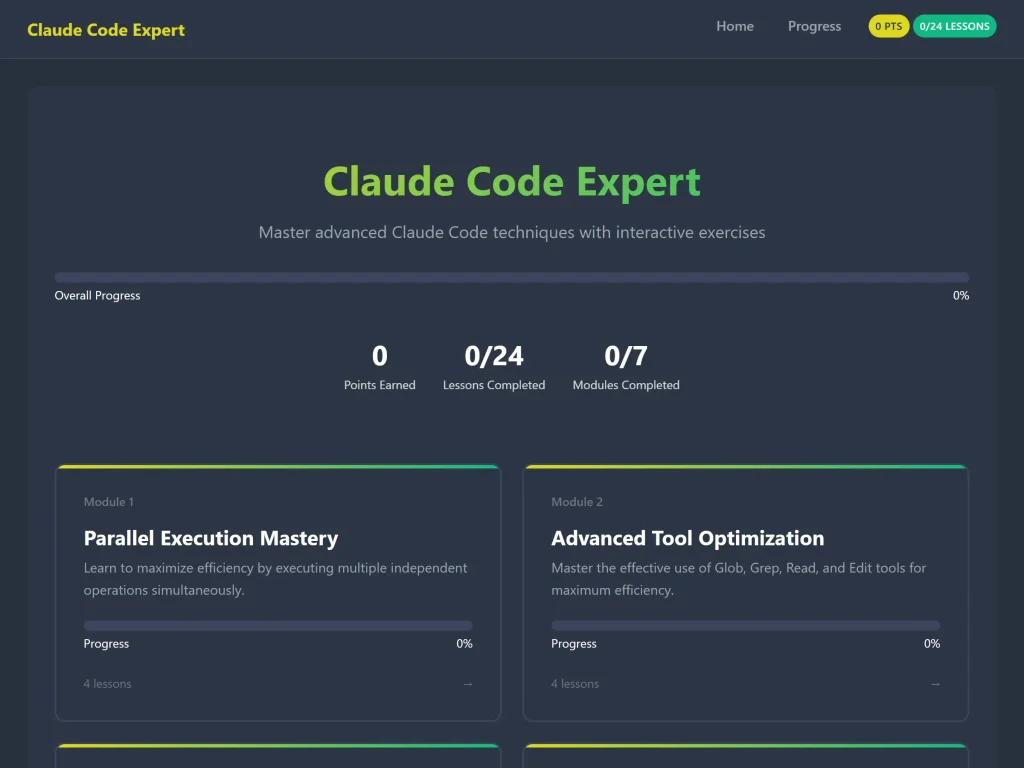
- 7 Comprehensive Modules with 24 detailed lessons
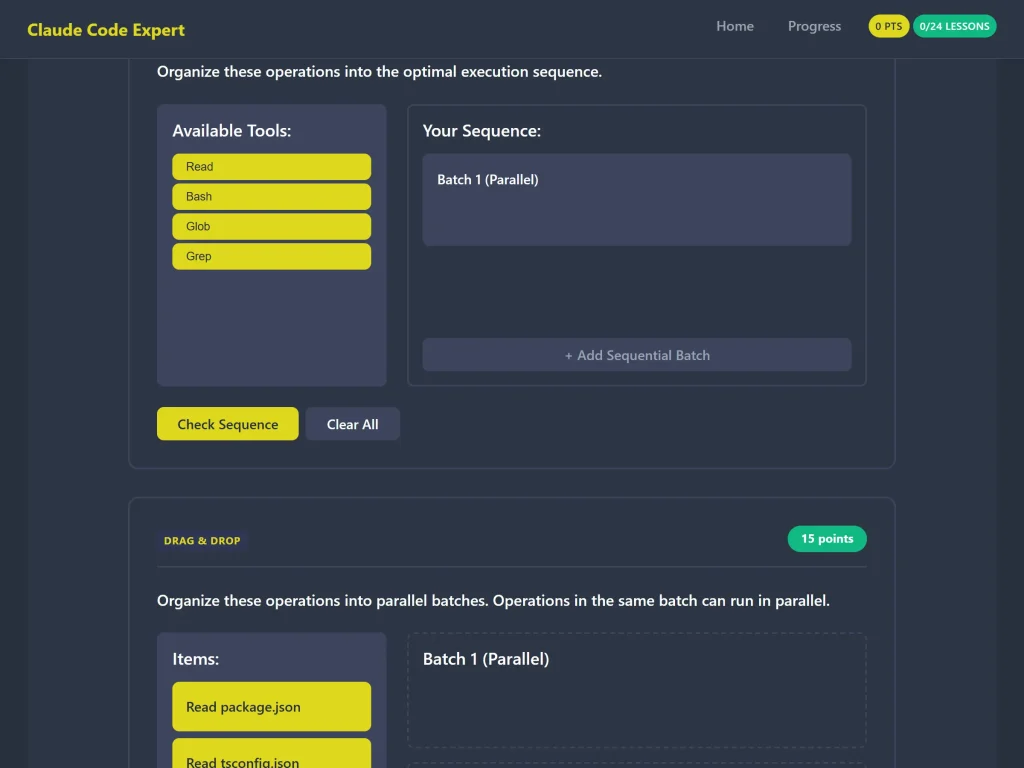
- 45+ Interactive Exercises across 4 different types
- 6.5 Hours of expert-level training content
- Lifetime Access – learn at your own pace
- Progress Tracking – monitor your journey
- Completion Certificate – showcase your expertise
- All Future Updates – stay current with best practices
No Installation Required
- Works in any modern browser
- No dependencies or build tools
- Instant access after purchase
- Works on desktop, tablet, and mobile
Complete Course Outline
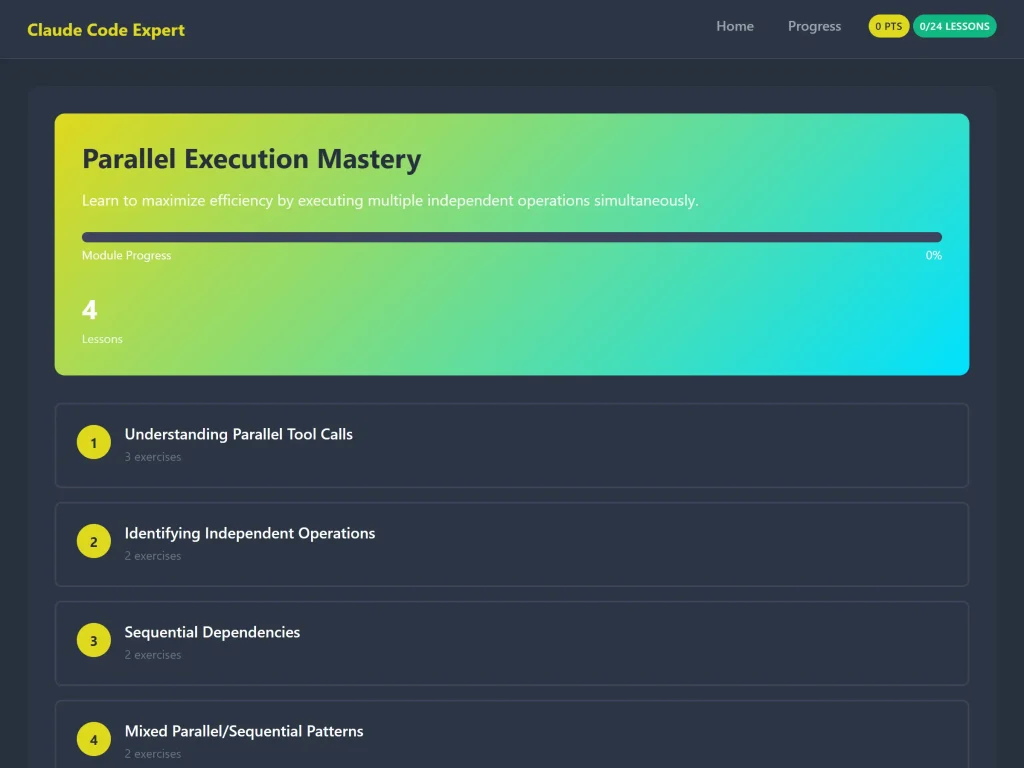
Module 1: Parallel Execution Mastery
Duration: 60 minutes | Exercises: 9
Learn to maximize efficiency by executing multiple independent operations simultaneously.
Lessons:
- Understanding Parallel Tool Calls
- Why parallel execution matters
- When to use parallel execution
- Exercises: Multiple-choice, simulation, drag-drop
- Identifying Independent Operations
- Dependency analysis techniques
- Practical examples of independent operations
- Exercises: Multiple-choice, code challenge
- Sequential Dependencies
- Common sequential patterns
- When operations must run in order
- Exercises: Drag-drop, multiple-choice
- Mixed Parallel/Sequential Patterns
- Complex workflow optimization
- Real-world batch processing
- Exercises: Simulation, code challenge
Key Takeaways:
- Execute independent operations in parallel for 3x faster workflows
- Identify dependencies to avoid common mistakes
- Design efficient multi-batch execution strategies
Module 2: Advanced Tool Optimization
Duration: 75 minutes | Exercises: 8
Master the effective use of Glob, Grep, Read, and Edit tools for maximum efficiency.
Lessons:
- Glob vs Grep vs Read: Choosing Wisely
- Tool selection guide
- Optimal use cases for each tool
- Exercises: 2 multiple-choice, 1 drag-drop
- Grep Patterns and Performance
- Regex patterns for efficient searches
- Output modes and filtering
- Exercises: Code challenge, multiple-choice
- Read Tool Best Practices
- Parameter optimization (offset, limit)
- Reading large files efficiently
- Exercises: Multiple-choice
- Edit Tool Mastery
- Precise editing techniques
- Using replace_all for refactoring
- Exercises: Multiple-choice, code challenge
Key Takeaways:
- Choose the right tool to reduce search time by 80%
- Master regex patterns for powerful code searches
- Edit files with precision and confidence
Module 3: Professional Git Workflow
Duration: 60 minutes | Exercises: 6
Master git operations with Claude Code best practices and safety protocols.
Lessons:
- Git Safety Protocol
- Critical safety rules
- Avoiding destructive commands
- Exercises: Multiple-choice, drag-drop
- Commit Message Standards
- Professional commit message format
- Using heredoc for multi-line messages
- Exercises: Multiple-choice, code challenge
- Information Gathering Workflow
- Pre-commit checklist
- Parallel information gathering
- Exercises: Simulation
- Pull Request Creation
- PR creation workflow with gh CLI
- Writing effective PR descriptions
- Exercises: Multiple-choice
Key Takeaways:
- Follow professional Git safety protocols
- Write clear, maintainable commit messages
- Create comprehensive pull requests with gh CLI
Module 4: Task Management with TodoWrite
Duration: 45 minutes | Exercises: 6
Master task tracking and organization for complex coding sessions.
Lessons:
- When to Use TodoWrite
- Identifying tasks that need tracking
- When NOT to use todo lists
- Exercises: Multiple-choice, drag-drop
- Task State Management
- Task lifecycle (pending → in_progress → completed)
- Critical state management rules
- Exercises: Multiple-choice, code challenge
- Task Breakdown Strategies
- Breaking complex tasks into manageable pieces
- Creating specific, actionable items
- Exercises: Multiple-choice, simulation
Key Takeaways:
- Track complex tasks without over-organizing
- Manage task states correctly for better workflow
- Break down large projects into actionable steps
Module 5: File Path Best Practices
Duration: 45 minutes | Exercises: 5
Master absolute vs relative paths and cross-platform considerations.
Lessons:
- Absolute vs Relative Paths
- Understanding path types
- Why are absolute paths preferred
- Exercises: Multiple-choice, drag-drop
- Avoiding CD commands
- Problems with changing directories
- Better alternatives to CD
- Exercises: Code challenge, multiple-choice
- Path Validation and Verification
- Pre-flight checks before file operations
- Preventing path-related errors
- Exercises: Multiple-choice
Key Takeaways:
- Use absolute paths to prevent 90% of path errors
- Avoid CD commands for more reliable workflows
- Verify paths before operations to prevent failures
Module 6: Search Optimization Patterns
Duration: 50 minutes | Exercises: 5
Advanced search strategies for efficient code exploration and discovery.
Lessons:
- Search Before Edit Pattern
- The golden rule of code modification
- Typical search-edit workflow
- Exercises: Multiple-choice, simulation
- Multi-Round Search Strategies
- When to use progressive narrowing
- Using the Explore agent effectively
- Exercises: Multiple-choice
- Combining Glob and Grep
- Powerful combination strategies
- Using Grep’s glob parameter
- Exercises: Code challenge, multiple-choice
Key Takeaways:
- Never edit code you haven’t read first
- Use multi-round searches for complex discoveries
- Combine Glob and Grep for targeted efficiency
Module 7: Error Prevention and Diagnostics
Duration: 60 minutes | Exercises: 6
Learn to avoid common pitfalls and debug effectively when issues arise.
Lessons:
- Common Pitfalls and How to Avoid Them
- Top 7 mistakes and prevention strategies
- Best practice checklist
- Exercises: Drag-drop, multiple-choice
- Using Diagnostics Effectively
- Systematic diagnostic workflow
- Parallel information gathering
- Exercises: Simulation, multiple-choice
- Recovery Strategies
- Recovering from errors gracefully
- Common recovery scenarios
- Exercises: Multiple-choice, code challenge
Key Takeaways:
- Prevent common errors before they happen
- Diagnose issues systematically for faster resolution
- Recover from errors with confidence
Learning Outcomes
By completing this course, you will be able to:
✅ Execute tools in parallel to reduce task completion time by 60-80%
✅ Choose the optimal tool (Glob, Grep, Read, Edit) for any situation
✅ Follow professional Git workflows with confidence and safety
✅ Manage complex projects with effective task breakdown
✅ Avoid common file path errors that waste developer time
✅ Search codebases efficiently using advanced patterns
✅ Prevent and diagnose errors systematically
Who Should Take This Course?
Perfect For:
- Professional Developers using Claude Code in production
- Development Teams want standardized best practices
- Students learning modern AI-assisted workflows
- Technical Leaders optimizing team efficiency
- Freelancers wanting to work faster and smarter
Prerequisites:
- Basic familiarity with command-line interfaces
- Understanding of common development workflows
- Access to a modern web browser
Course Features
Interactive Learning
- Multiple Choice Quizzes – Test your understanding
- Code Challenges – Write and validate real code
- Interactive Simulations – Practice tool usage in safe environment
- Drag-and-Drop Activities – Visual concept organization
Progress Tracking
- Automatic progress saving with localStorage
- Points system for motivation
- Module and lesson completion tracking
- Visual progress dashboard
Expert Content
- Developed by professionals using Claude Code daily
- Real-world examples from production environments
- Common pitfalls and expert solutions
- Best practices from thousands of hours of usage
Purchase Details
What You Get Immediately:
- Instant Access to all 7 modules
- Download Link for offline access
- Progress Tracking setup automatically
- Lifetime Updates – all future improvements included
Money-Back Guarantee
Not satisfied? Get a full refund within 30 days, no questions asked.
Payment Options
- Credit Card (Visa, Mastercard, Amex)
- PayPal
- (Add other payment methods as supported by your EDD setup)
License
Single-user license. Contact us for team licensing options.
Course Statistics
- Total Modules: 7
- Total Lessons: 24
- Total Exercises: 45+
- Estimated Completion: 6.5 hours
- Difficulty: Beginner to Advanced
- Format: Self-paced, interactive
- Access: Lifetime
- Updates: Free forever
Bonus Materials
Included Free:
- Quick Reference Guide – Printable cheat sheet
- Exercise Solutions – Detailed explanations
- Code Examples Repository – Downloadable snippets
- Best Practices Checklist – Daily workflow guide
What Students Say
“This course transformed how I use Claude Code. The parallel execution module alone saved me hours every week.” – Sarah K., Senior Developer
“Finally, a course that teaches practical techniques, not just theory. The interactive exercises make it stick.” – Mike T., Tech Lead
“Best investment in my development skills this year. Clear, concise, and immediately applicable.” – Alex R., Full-Stack Developer
Frequently Asked Questions
Q: Is this course updated for the latest Claude Code version?
A: Yes, the course is regularly updated to reflect current best practices. All updates are included free.
Q: Can I access this on mobile devices?
A: Yes! The course works on any device with a modern browser (Chrome, Firefox, Safari, Edge).
Q: Do I need to install anything? A: No installations required. Just open the course in your browser and start learning.
Q: How long do I have access?
A: Lifetime access. Learn at your own pace, revisit lessons anytime.
Q: What if I get stuck on an exercise?
A: Every exercise includes hints and detailed solutions to help you learn.
Q: Is there a certificate upon completion?
A: Yes, you’ll receive a completion certificate you can add to your portfolio or LinkedIn.
Q: Can I purchase this for my team?
A: Yes! Contact us for team licensing and volume discounts.
Q: What’s your refund policy?
A: 30-day money-back guarantee. If you’re not satisfied, get a full refund.
Ready to Master Claude Code?
Join hundreds of developers who are transforming their workflow with expert Claude Code techniques.
Limited Time: Enroll today and get instant access to all modules plus future updates.
Secure checkout powered by Easy Digital Downloads 30-day money-back guarantee
Need Help?
Have questions before purchasing? Contact us:
- Email: contact@krasenslavov.com
- Live Chat: Available during business hours
- FAQs (Coming Soon)