

Generate custom featured images instantly with 100+ brand logos in seconds. Stop using generic stock photos or designing in external tools.
Click the image above to watch the full demo on YouTube
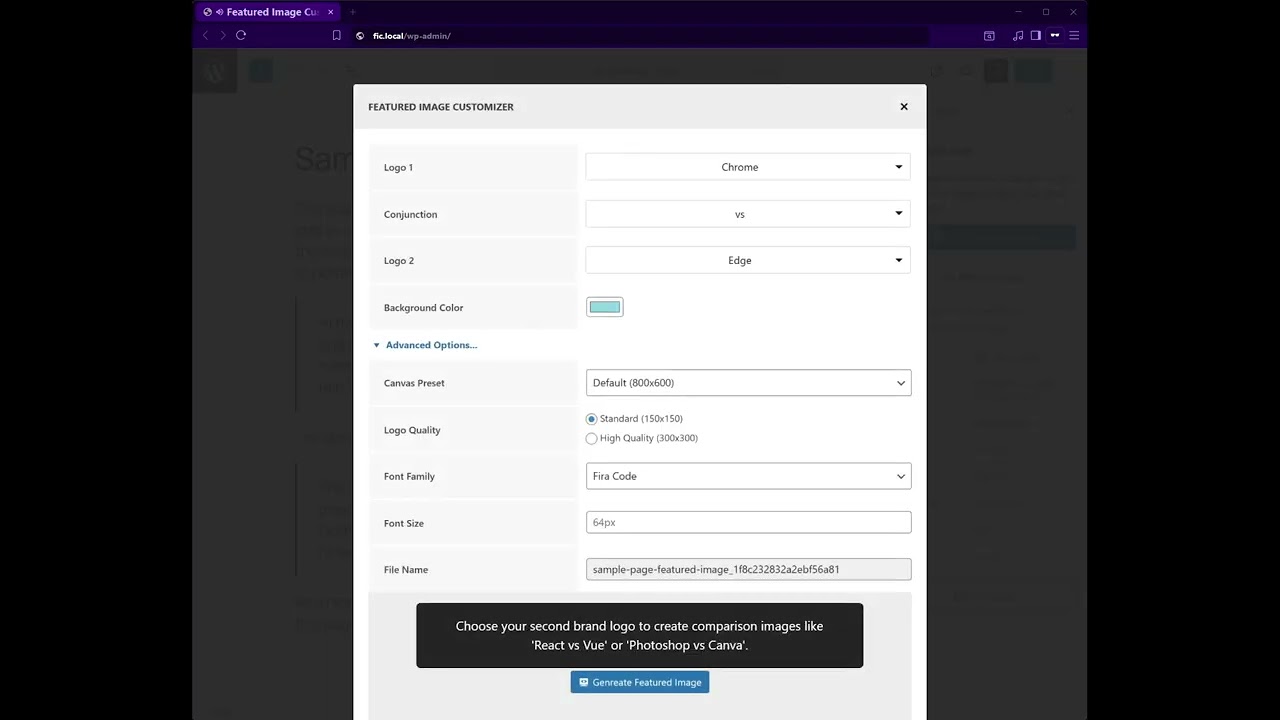
This plugin generates custom featured images directly in your editor with popular brand logos, customizable backgrounds, and professional layouts. Create eye-catching post thumbnails for comparison posts, tutorials, reviews, and social media sharing.
Key Features
- Create custom images in seconds
- 100+ brand logos (social media, tech companies, productivity tools)
- No design skills required
- Block Editor and Classic Editor are compatible
- Auto thumbnail generation
- Media Library integration
- Multiple background colors
How It Works
- Install and activate
- Edit any post or page in the editor
- Click the New Featured Image button in the featured image area
- Select two brand logos from 100+ options
- Choose a conjunction word (vs, and, +) and background color
- Click generate – custom featured image created instantly
- Image sets automatically as a post thumbnail
Zero configuration required – works immediately with posts and pages.
Use Cases
- Tech comparison post thumbnails
- Product comparison images
- Tutorial article featured images
- Social media shareable thumbnails
- Blog post featured images
- Visual content creation
Installation
From Dashboard
- Go to Plugins > Add New
- Search for “Featured Image Customizer”
- Click Install Now, then Activate
Manual Installation
- Download the plugin ZIP file
- Upload to /wp-content/plugins/
- Activate from the Plugins menu
After Activation
- Edit any post or page
- Find the Featured Image section in the editor sidebar
- Click the New Featured Image button
- Modal opens with the brand logo library
- Select two brand logos from 100+ options
- Choose a conjunction word (vs, and, with, +)
- Pick background color
- Preview custom featured image
- Click Generate button
- The post thumbnail is set automatically